

Layouts
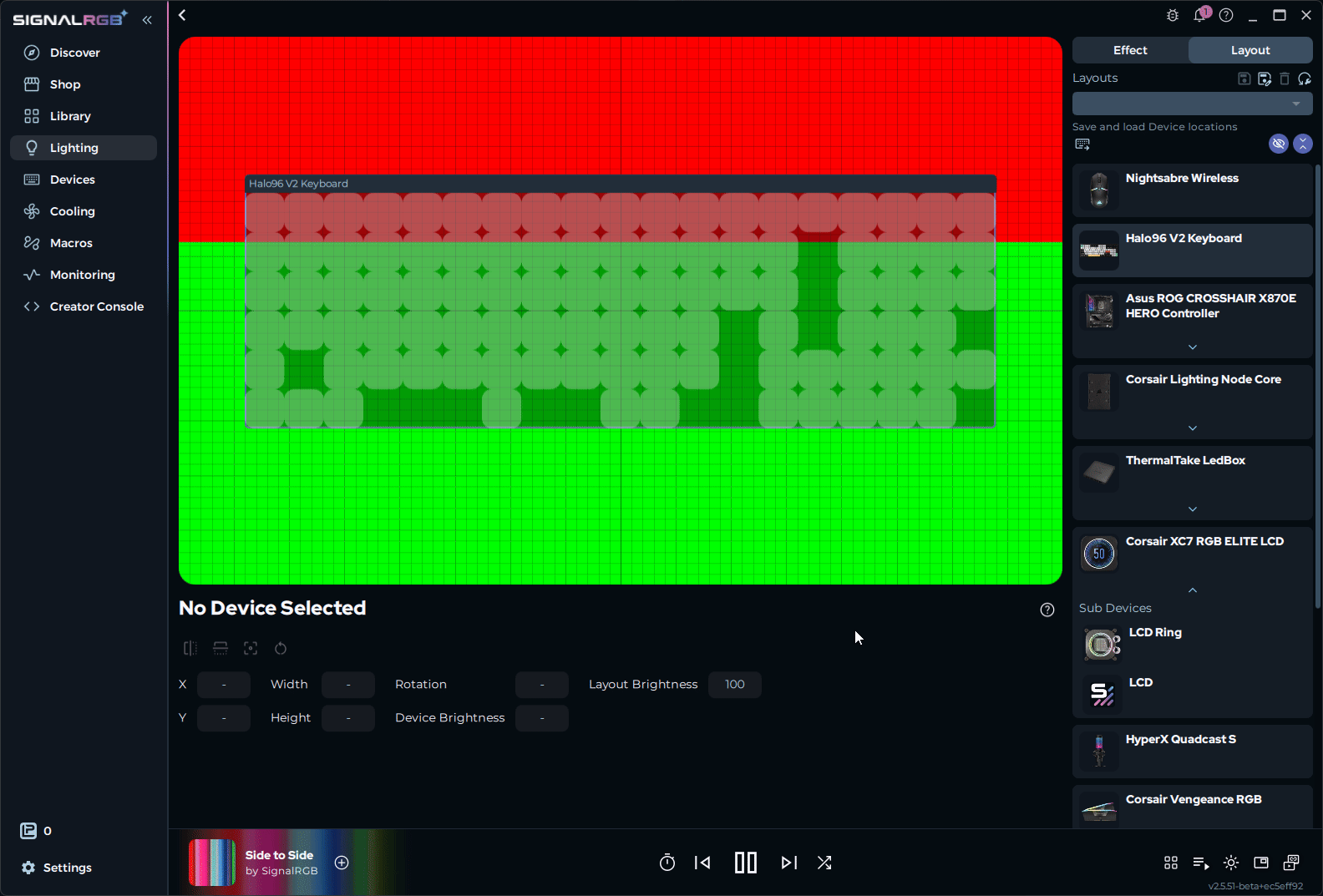
A layout is a canvas where you position your RGB devices to match their physical locations. SignalRGB uses this spatial information to determine how lighting effects move across your setup.
What is a Layout?
Section titled “What is a Layout?”A layout is a map of your devices. You place each device on the canvas to reflect where it sits on your desk or inside your case. SignalRGB reads that map to coordinate lighting effects across all your devices at once.
Without a layout, each device runs effects independently. A wave effect on your keyboard has no relationship to the same wave on your mouse or fans. With an accurate layout, that wave sweeps across your entire setup as if all your devices are one continuous surface.
What Layouts Control
Section titled “What Layouts Control”Layouts store two primary things:
- Device positions: Where each device sits on the canvas relative to the others
- Layout brightness: The brightness level saved with the layout
Saving and Switching Layouts
Section titled “Saving and Switching Layouts”You can save multiple layouts and switch between them at any time. This lets you maintain different configurations for different purposes without rebuilding your setup each time.
Common uses:
- A desktop layout for your full setup
- A layout setup to match an audio visualizer effect
- Layouts to display health or other vital game information for Game Integration Effects
How to Create a Layout
Section titled “How to Create a Layout”This section walks you through building a layout so lighting effects move across your devices as one continuous surface.
Before You Start
Section titled “Before You Start”Make sure you have:
- SignalRGB installed and running
- At least one device detected and visible on the Devices page
Open the Layouts Page
Section titled “Open the Layouts Page”Click the Lighting page on the left navigation, then click the Layouts tab on the top right.
The canvas displays every detected device in your setup. By default, all devices are stacked at the center of the canvas.
Add Devices to Your Layout
Section titled “Add Devices to Your Layout”All detected devices appear on the canvas automatically. Each device is represented as a labeled box.
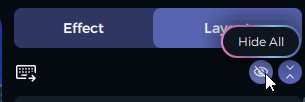
- Click Hide All in the top-right corner to clear the canvas
- Unhide one device at a time and position it before moving to the next
If a device is not visible on the canvas, check that it is connected and recognized on the Devices page.
Position Your Devices
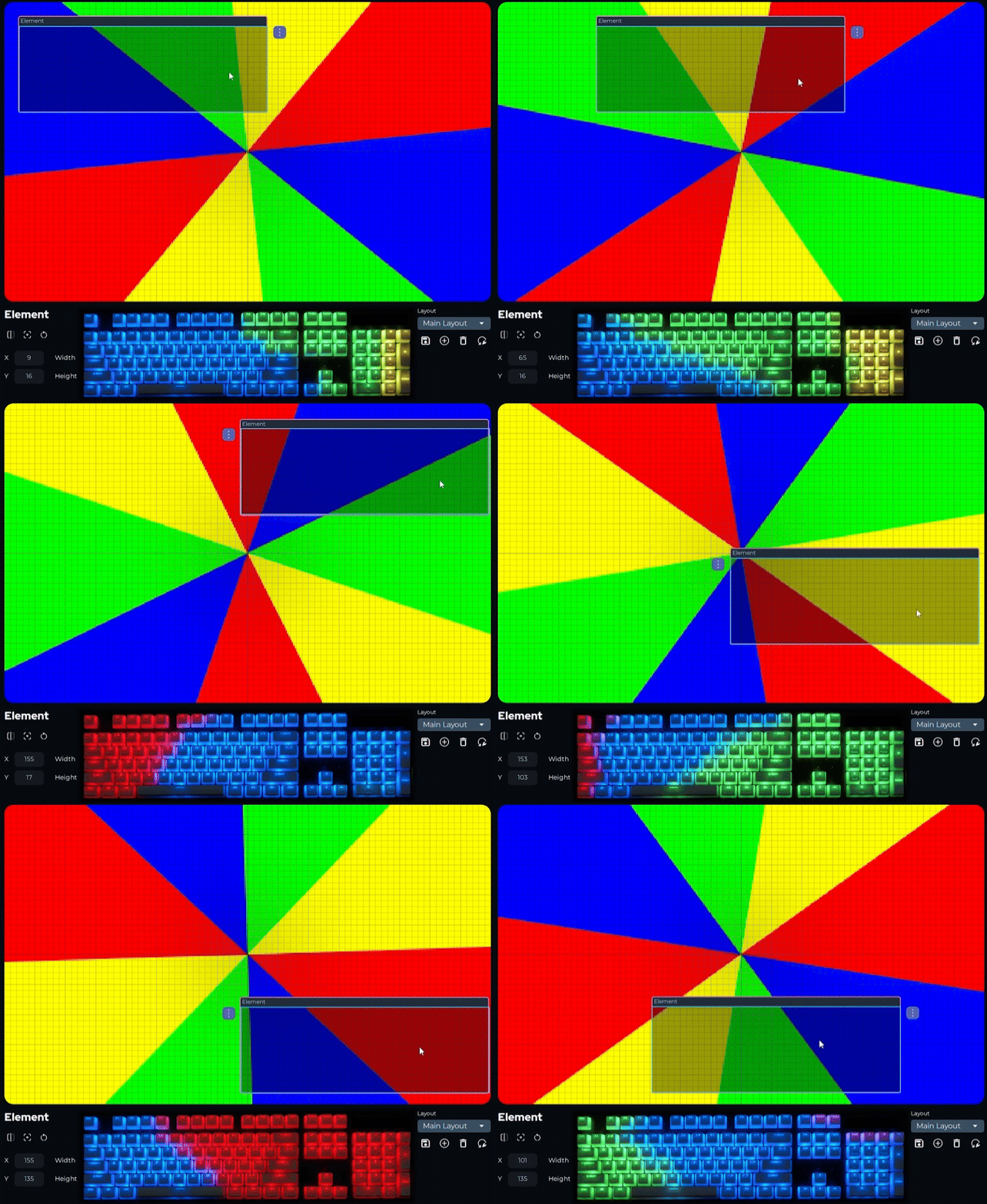
Section titled “Position Your Devices”- Drag each device box to the position that matches its physical location on your desk or in your case
- For precise placement, enter exact coordinates in the settings panel at the bottom of the page
Moving a device on the canvas changes the portion of the effect it displays.
Resize and Rotate Devices
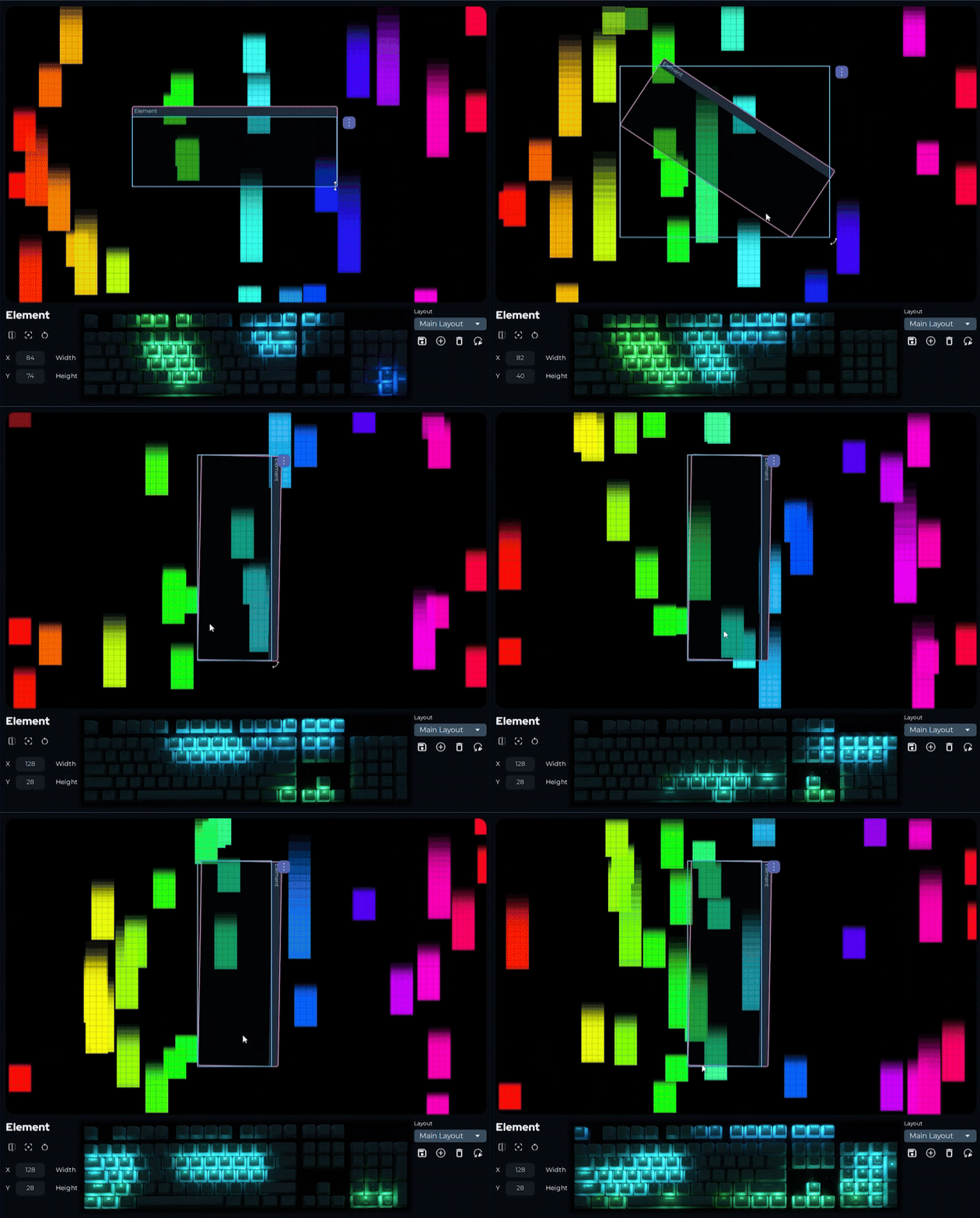
Section titled “Resize and Rotate Devices”Scaling a device changes how much of the effect canvas it samples. Rotating changes the direction effects enter and exit the device.
- Drag the corners of a device box to resize it
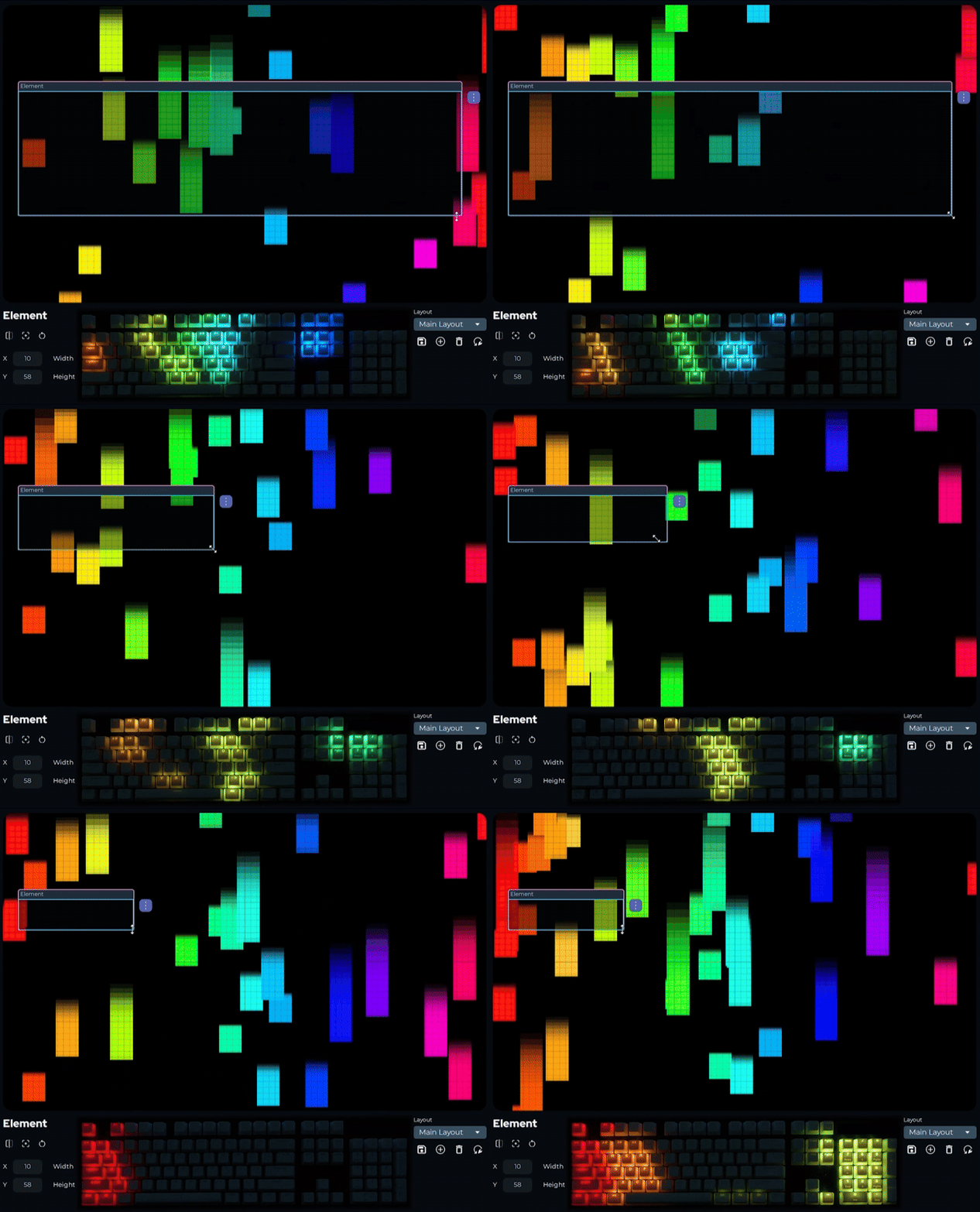
- Use the corner handles to rotate, or enter a rotation value in the settings panel at the bottom of the page
Invert a Device
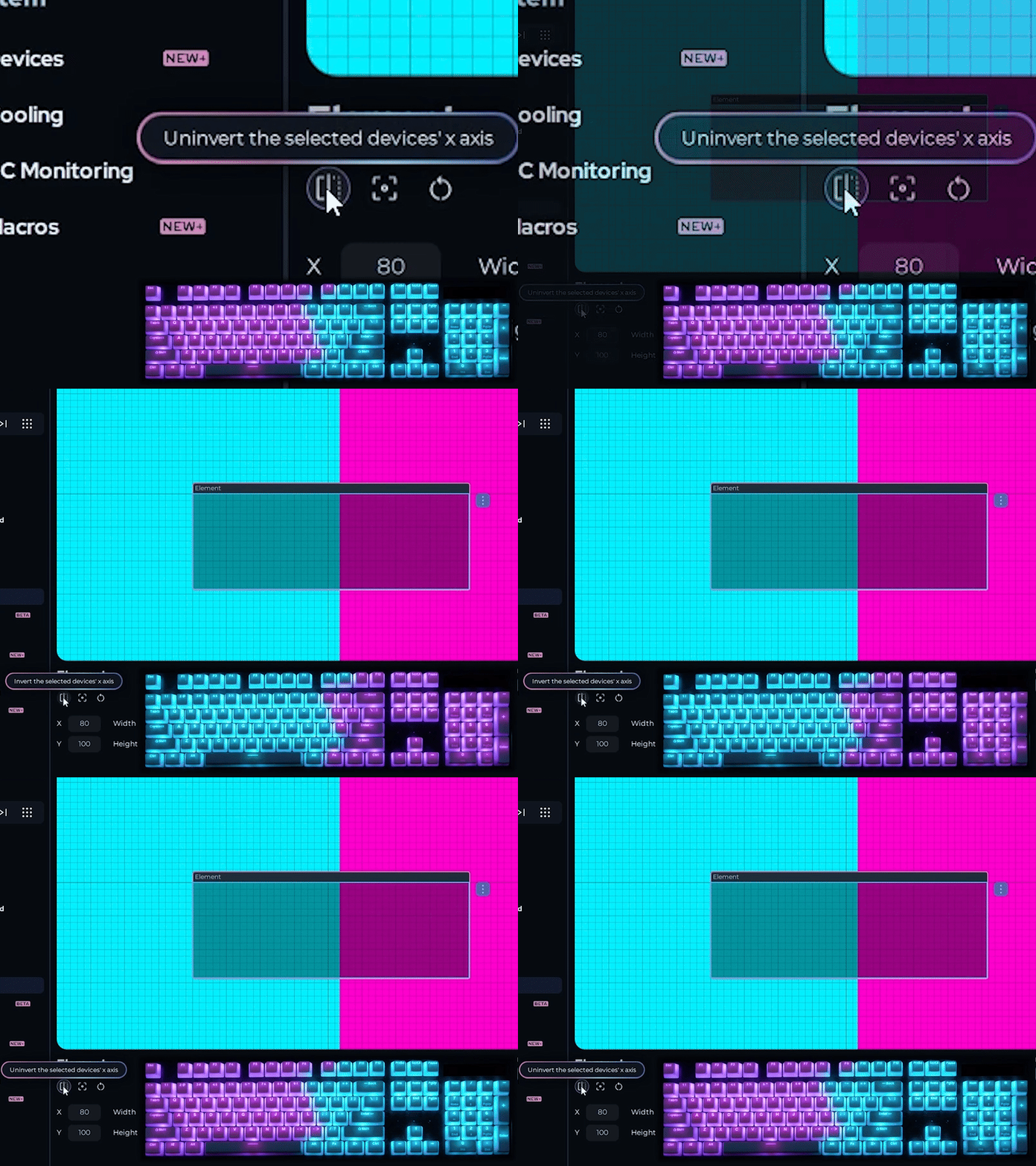
Section titled “Invert a Device”Use the invert option to flip a device over its x-axis. This is most useful for RGB fans mounted upside down or facing backwards.
- Select the device on the canvas
- Click the invert button in the bottom-left corner
The direction effects travel across the device is reversed.
Save Your Layout
Section titled “Save Your Layout”- Click the save control in the bottom-right corner of the page
- Enter a descriptive name for the layout
- Click Save
You can create multiple layouts for different setups, games, or moods and switch between them at any time using the same controls.
Keyboard Shortcuts
Section titled “Keyboard Shortcuts”These shortcuts are available while working on the Layouts page.
| Shortcut | Action |
|---|---|
| Ctrl+Z | Undo |
| Ctrl+Y | Redo |
| Ctrl+S | Save current layout |
| Ctrl+A | Select all devices |
| Delete | Remove selected device from the layout |
| Escape | Cancel the current selection |
| F5 | Refresh the device list |
Related Articles
Section titled “Related Articles”Need more help? Contact Customer Support