

How to Delete Your Account
Deleting your SignalRGB account is permanent and cannot be undone. All associated data, purchases, and saved effects will be removed.
Before You Start
Section titled “Before You Start”- Make sure you want to permanently delete your account — this cannot be reversed
- Note that any purchased Light Points or Pro subscription will be lost
- Export any data you want to keep beforehand if needed
-
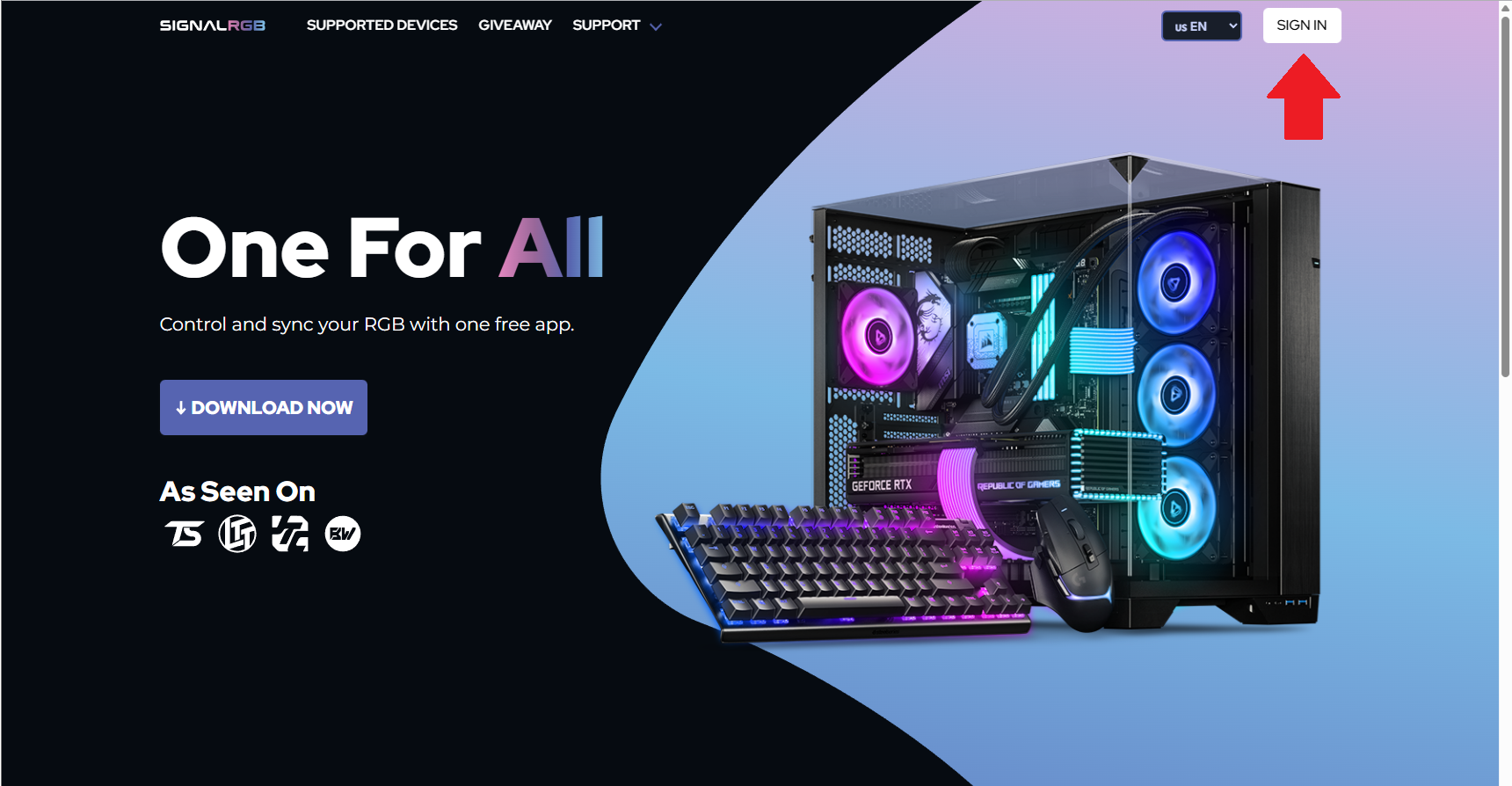
Visit signalrgb.com and click Sign In in the top right corner.
-
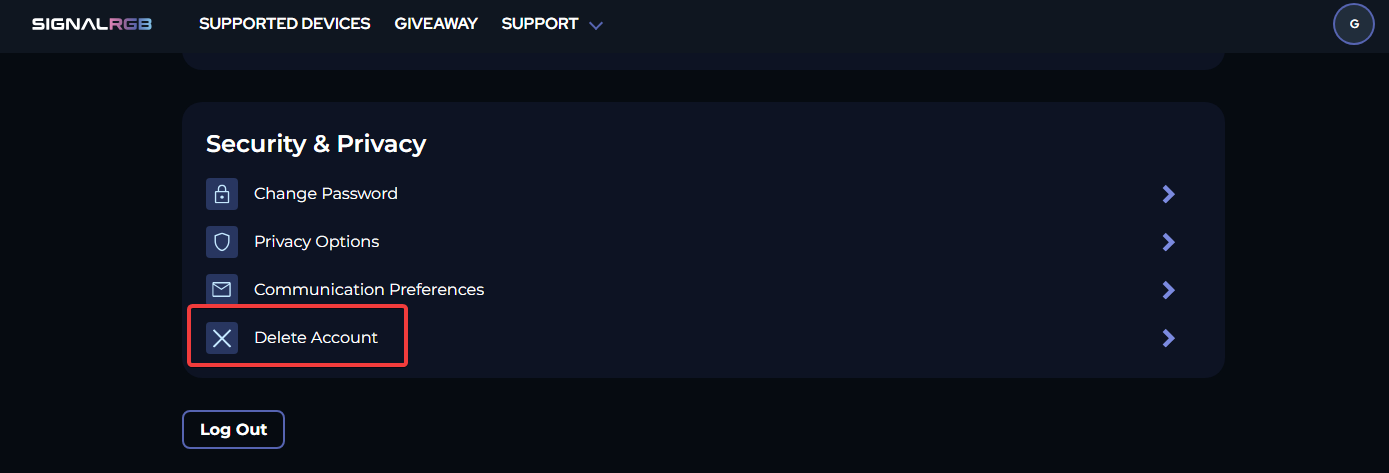
Once signed in, scroll to the bottom of your account overview page.
-
Under Security and Privacy, click Delete account.
-
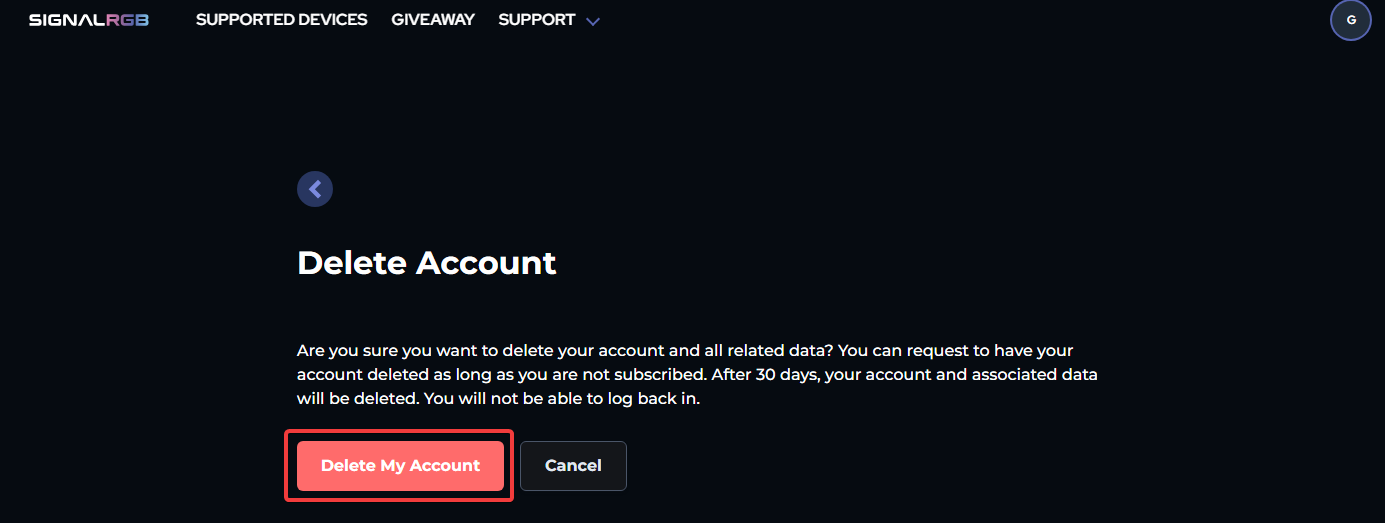
Confirm your account deletion when prompted.
Tips & Best Practices
Section titled “Tips & Best Practices”- If you’re deleting your account due to a billing issue, consider contacting support first — it may be resolvable without losing your account.
- If you have an active Pro subscription, cancel it before deleting to avoid further charges.
Troubleshooting
Section titled “Troubleshooting”- Delete account option not visible — make sure you’re fully signed in and on the account overview page
- Confirmation email not arriving — check your spam folder
Related Articles
Section titled “Related Articles”Need more help? Contact Customer Support