

How to Export Your Account Data
You can request a copy of all data associated with your SignalRGB account at any time. The data will be delivered to your registered email address within 30 days.
Before You Start
Section titled “Before You Start”- You must be signed in to the account you want to export data from
- Make note of your registered email address — that’s where the data will be sent
- If you plan to delete your account afterward, wait until you receive your data first
-
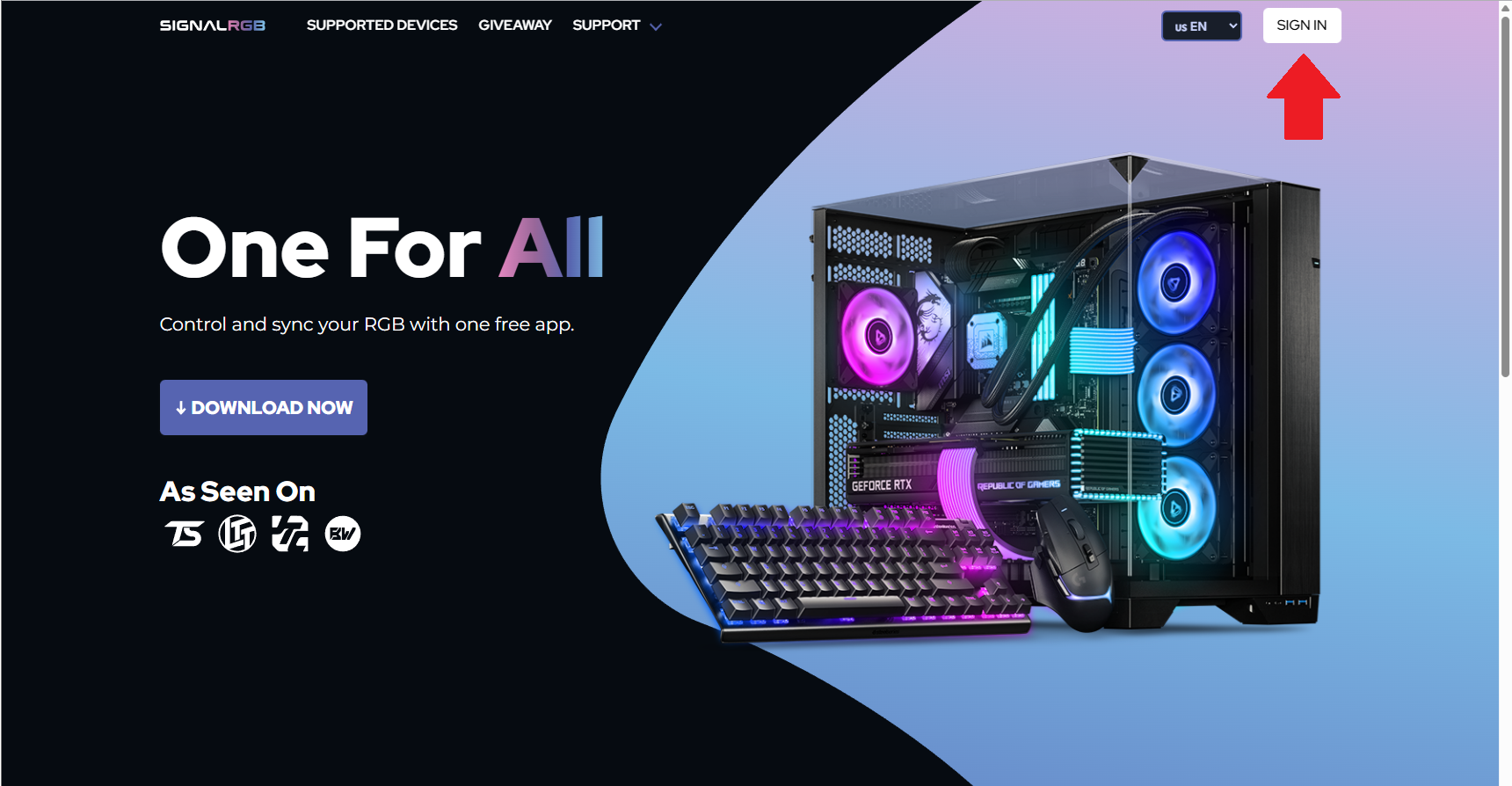
Visit signalrgb.com and click Sign In in the top right corner.
-
Once signed in, scroll to the bottom of your account overview page.
-
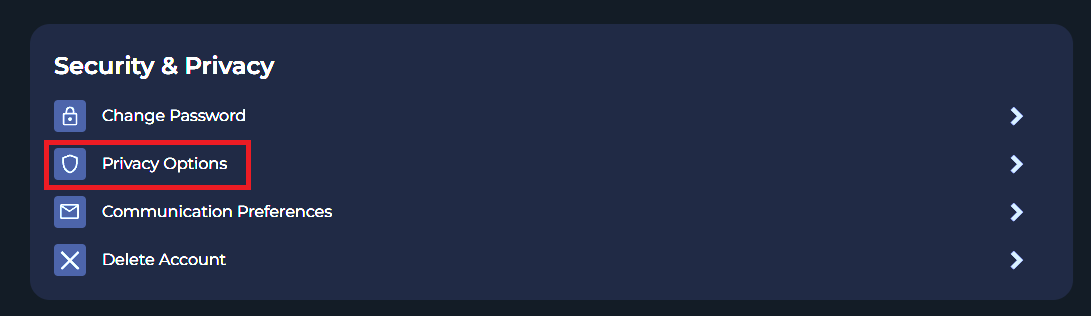
Under Security and Privacy, click Privacy Options.
-
Click Request Data to submit your request.
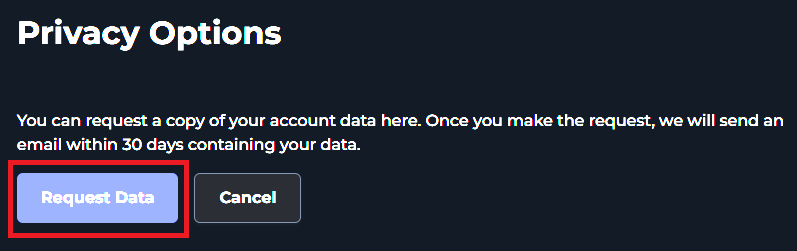
Your data will be sent to your registered email address within 30 days.
Tips & Best Practices
Section titled “Tips & Best Practices”- Submit your data request before initiating account deletion — you can’t retrieve it afterward.
- Check your spam folder if the data email doesn’t arrive within the expected timeframe.
Troubleshooting
Section titled “Troubleshooting”- Privacy Options not visible — make sure you’re fully signed in and on the account overview page
- Data email not received after 30 days — contact support with your request confirmation
Related Articles
Section titled “Related Articles”Need more help? Contact Customer Support