Problemas con el inicio rápido
De forma predeterminada, Windows 8 (y posteriores) tiene una función conocida como Fast Boot habilitada; esto puede ser bastante problemático al trabajar con dispositivos RGB (al menos para la configuración inicial).
Deshabilitar Fast Boot
Sección titulada «Deshabilitar Fast Boot»Para deshabilitar Fast Boot, cree un nuevo archivo llamado Disable-fastboot.bat y pegue el siguiente código en él:
@echo offecho Enabling Fast Boot Feature for Full Restart / Shutdownif _%1_==_payload_  goto :payload
:getadminecho UAC Prompt must be accepted...set vbs=%temp%\getadmin.vbsecho Set UAC = CreateObject^("Shell.Application"^)                >> "%vbs%"echo UAC.ShellExecute "%~s0", "payload %~sdp0 %*", "", "runas", 1 >> "%vbs%""%temp%\getadmin.vbs"del "%temp%\getadmin.vbs"goto :eof
:payloadpowercfg /hibernate ongoto :eof
:eof
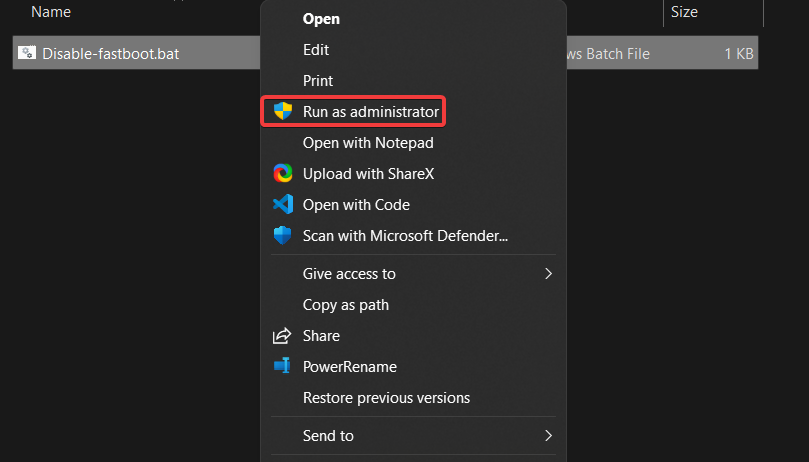
Haga clic con el botón derecho en el archivo y seleccione Ejecutar como administrador. Fast Boot debería estar ahora deshabilitado.
Habilitar Fast Boot
Sección titulada «Habilitar Fast Boot»Si desea volver a habilitar Fast Boot, cree otro archivo llamado Enable-fastboot.bat y pegue este código en él:
@echo offecho Disabling Fast Boot Feature for Full Restart / Shutdownif _%1_==_payload_  goto :payload
:getadminecho UAC Prompt must be accepted...set vbs=%temp%\getadmin.vbsecho Set UAC = CreateObject^("Shell.Application"^)                >> "%vbs%"echo UAC.ShellExecute "%~s0", "payload %~sdp0 %*", "", "runas", 1 >> "%vbs%""%temp%\getadmin.vbs"del "%temp%\getadmin.vbs"goto :eof
:payloadpowercfg /hibernate offgoto :eof
:eof
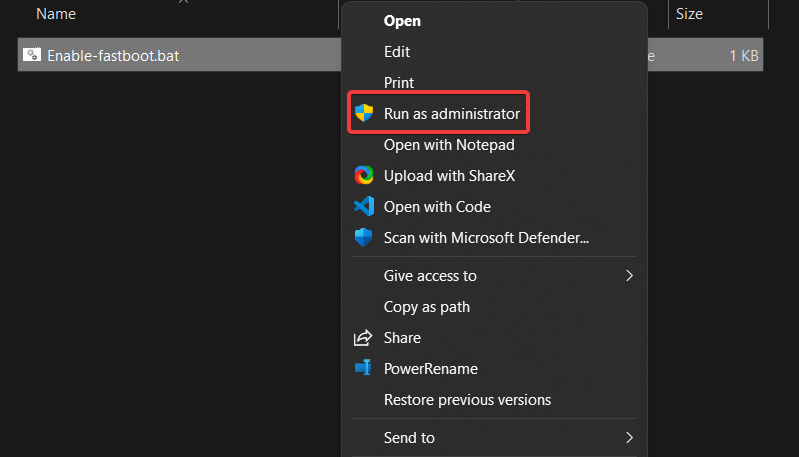
Haga clic con el botón derecho en el archivo y seleccione Ejecutar como administrador. Fast Boot debería estar habilitado de nuevo.