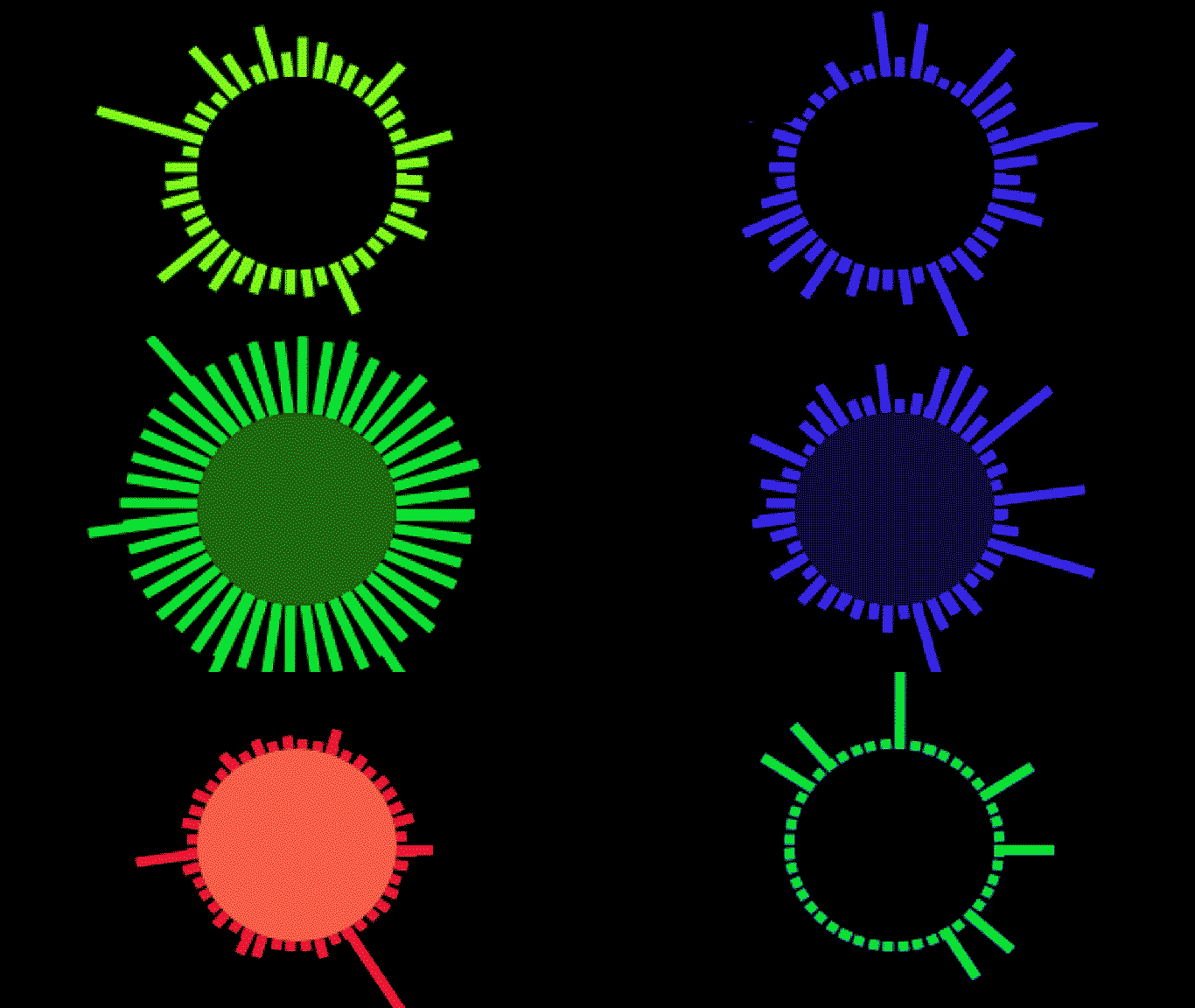
音频可视化器
在这里,我们将深入了解一些 API 音频属性,并向您展示音频可视化器创建的基础知识。大多数可视化器都是基于同一套基本原则构建的,所以一些练习可以产生非常有趣的结果。
SignalRGB 音频属性
Section titled “SignalRGB 音频属性”SignalRGB 提供的音频数据可以通过代码中的几个属性访问:
- engine.audio.level - 返回一个介于 -100 和 0 之间的数字,表示音轨的整体响度。0 是响亮的,-100 是非常低的。
- engine.audio.density - 返回一个介于 0 和 1 之间的数字,表示音调的粗糙度,测试音调返回 0,白噪声返回 1。
- engine.audio.freq - 返回一个包含 200 个元素的数组,包含音轨的频率数据。
在可以正确使用之前,每个属性都需要不同程度的标准化或调整,我稍后会介绍。
让我们从基本的频率动画开始。
频率代表我们听到的声音的音调,是音频可视化器最重要的属性。我们在这里做的是每帧取 200 个频率波的切片,并将其转换为视觉形式。基本过程是:
- 实例化一个数组并用频率数据填充它。
- 编辑此数组以满足您的需求(过滤、映射、减少等)。
- 编写一个”声音条”类来表示每个元素。
- 每帧将数据连接到声音条类。
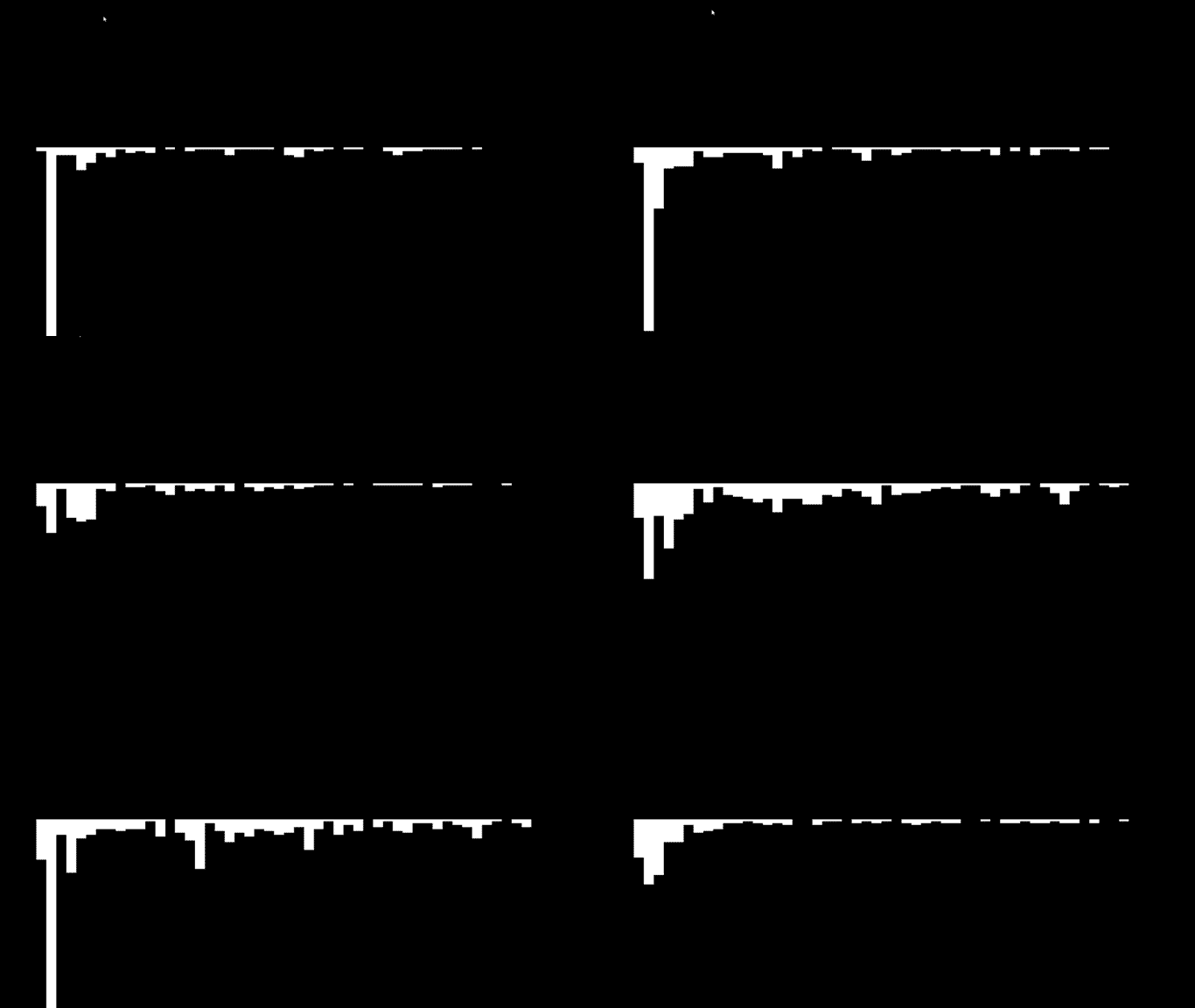
频率的重要部分是,我们必须对原始数据进行两次调整。有时元素会以负值进入,这在视觉上很突兀。元素的高度也对这个示例来说进入时是不正确的。由于矩形”height”选项中的正值从形状原点向下绘制,我们希望将其翻转以类似于普通可视化器。
示例 - 未处理数据:
已处理数据:
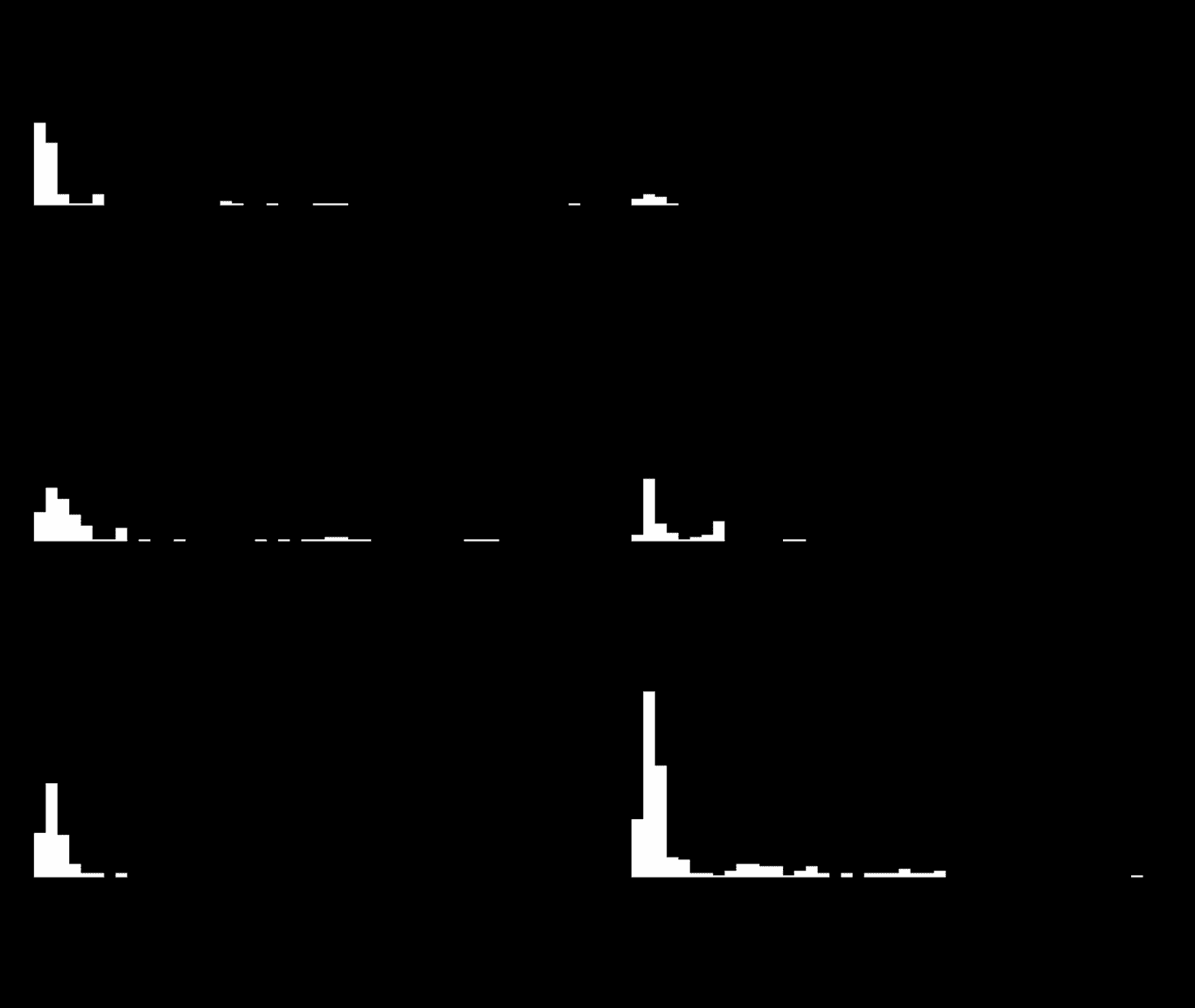
带已处理数据的代码示例:
<head>    <title>Visualizer Tutorial</title>    <meta description="Basic Effects" />    <meta publisher="SignalRgb" />  </head>
  <body style="margin: 0; padding: 0; background: #000;">    <canvas id="exCanvas" width="320" height="200"></canvas>  </body>
  <script>    canvas = document.getElementById('exCanvas');    ctx = canvas.getContext('2d');    var effects = [];    var reducedFreq = [];
    function update() {
      // "frequency" represents the full 200 elements from our frequency data        var frequency = new Int8Array(engine.audio.freq)      // "reducedFreq" filters the data down to every fourth result to save some CPU load        reducedFreq = frequency.filter((element, index) => {            return index % 4 === 0;        })
      // Create the effect if it does not yet exist        if(effects.length < 1){            effects.push(new soundBars(20, 100))        }
      // Background color        DrawRect(0, 0, 320, 200, "black")
      // Play effect        effects.forEach((ele, i) => {          ele.draw();          if (ele.lifetime <= 0) {            effects.splice(i, 1);          }        });
      window.requestAnimationFrame(update);    }
    function soundBars (x, y){        this.x = x;        this.y = y;        this.draw = function(){          for(let i = 0; i < reducedFreq.length; i++){                var x = this.x + 5 * i                var y = this.y     // Data processing occurs for "height". Find the absolute value of each element, then flip negative                var height = -Math.abs(reducedFreq[i])                DrawRect(x, y, 5, height, "white")            }        }    }
    function DrawRect(x, y, width, height, color) {      ctx.beginPath();      ctx.fillStyle = color;      ctx.fillRect(x, y, width, height);    };
    window.requestAnimationFrame(update);  </script>
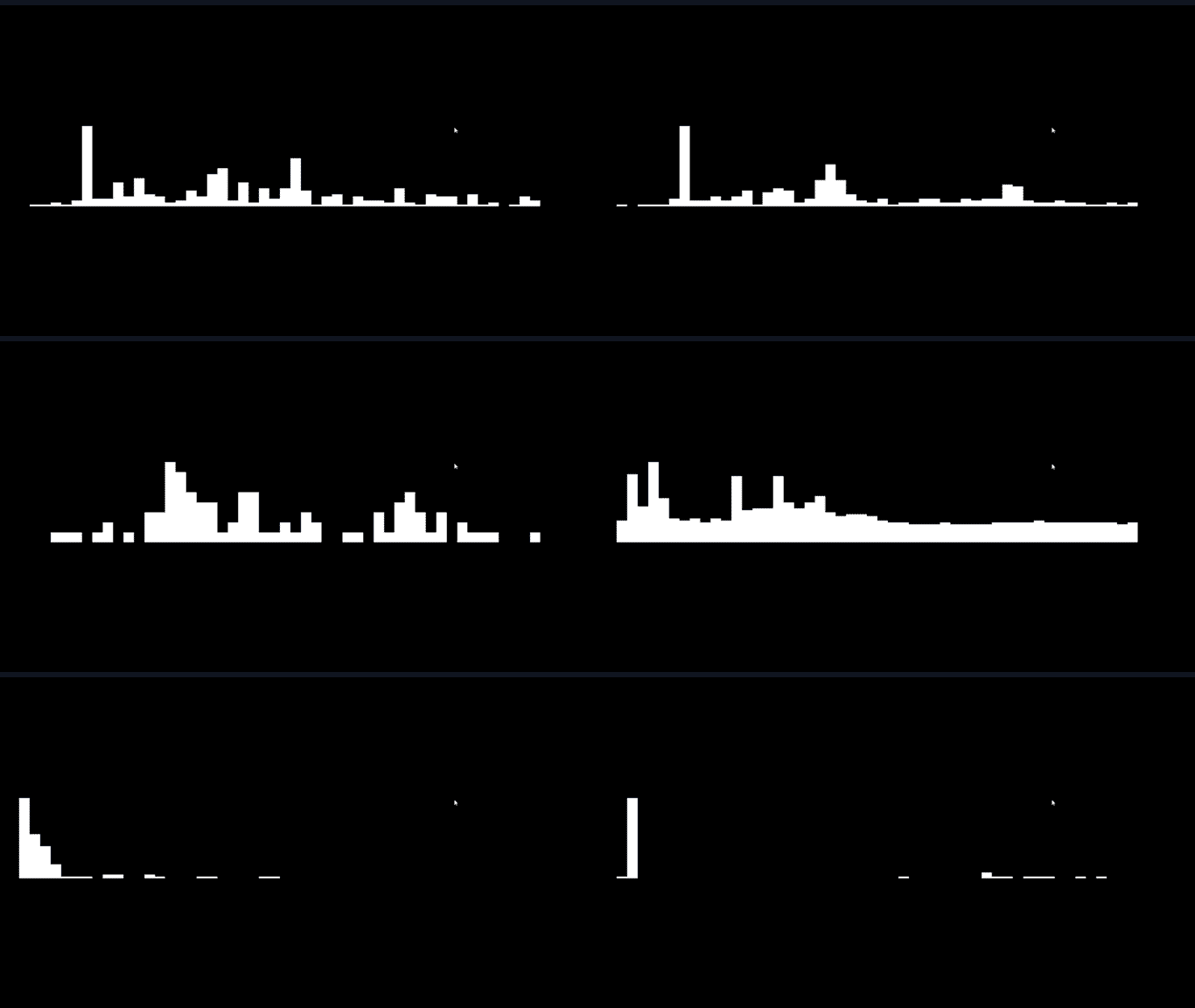
但是上面的可视化器仍然存在一些问题。虽然歌曲通过耳机听起来很圆润,但我们可以看到数据大量偏向某些声音条,而其他声音条通常完全不可见。从艺术角度来看,这不是理想的,所以我们要”标准化”从 SignalRGB 接收的数据。标准化涉及在最大值和最小值之间均匀分布数据,以更好地说明它们相对于彼此的值。找出频率数组中的最大值和最小值后,等式总体上很简单:(x - min) / (max - min),其中”x”代表当前元素。
标准化的已处理数据:
接下来,我们将通过将声音条排列成圆形来增加一些视觉效果:
function soundBars (x, y){      this.x = x;      this.y = y;
      this.draw = function(){
        var max = Math.max(...reducedFreq)        var min = Math.min(...reducedFreq)
        for(let i = 0; i < reducedFreq.length; i++){          ctx.save()          var x = this.x + Math.cos(i) * 50          var y = this.y + Math.sin(i) * 50          var height = ((Math.abs(reducedFreq[i])) - min) / (max - min) * -40          var rotate = Math.atan2(y - this.y, x - this.x) + Math.PI / 2;          ctx.translate(x, y)          ctx.rotate(rotate)          ctx.translate(-x, -y)          DrawRect(x, y, 5, height, "white")          ctx.restore()        }      }    }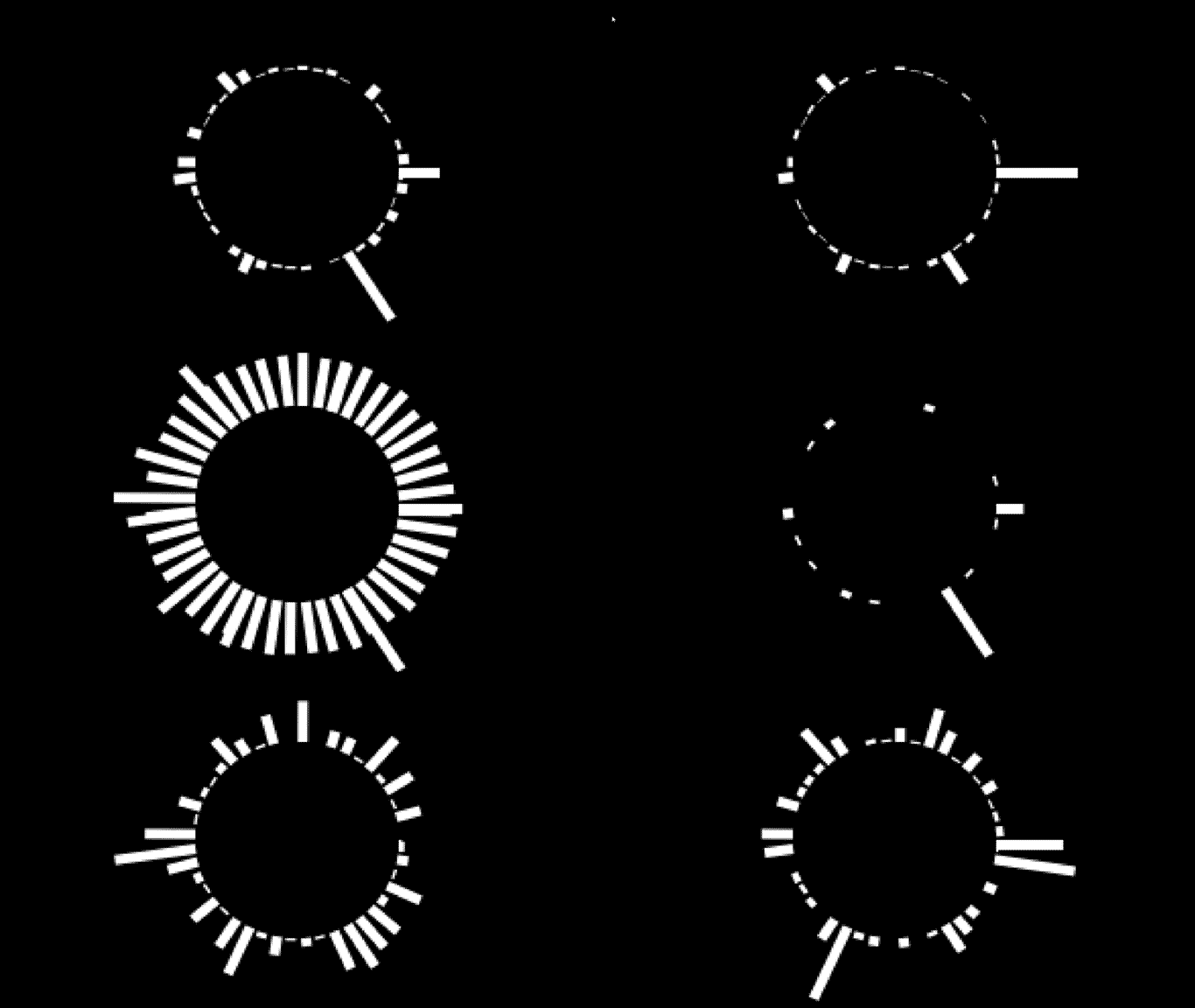
密度使用简单。返回值将是 0 到 1 之间的数字,表示音调的”清洁度”。数字音调将更接近 0,模拟音调将更接近 1。在本例中,我将使用它来编辑声音条的颜色,这将使歌曲中的不同音调具有不同的颜色。
function soundBars (x, y){
      this.x = x;      this.y = y;      this.rotate = 0;
      this.draw = function(){        var hue = engine.audio.density * 360
        var max = Math.max(...reducedFreq)        var min = Math.min(...reducedFreq)        for(let i = 0; i < reducedFreq.length; i++){          ctx.save()          var x = this.x + Math.cos(i) * 50          var y = this.y + Math.sin(i) * 50          var height = ((Math.abs(reducedFreq[i])) - min) / (max - min) * -50 - 5          this.rotate = Math.atan2(y - this.y, x - this.x) + Math.PI / 2;          ctx.translate(x, y)          ctx.rotate(this.rotate)          ctx.translate(-x, -y)          DrawRect(x, y, 5, height, `hsl(${hue}, 100%, 50%)`)          this.rotate = 0;          ctx.restore()        }      }    }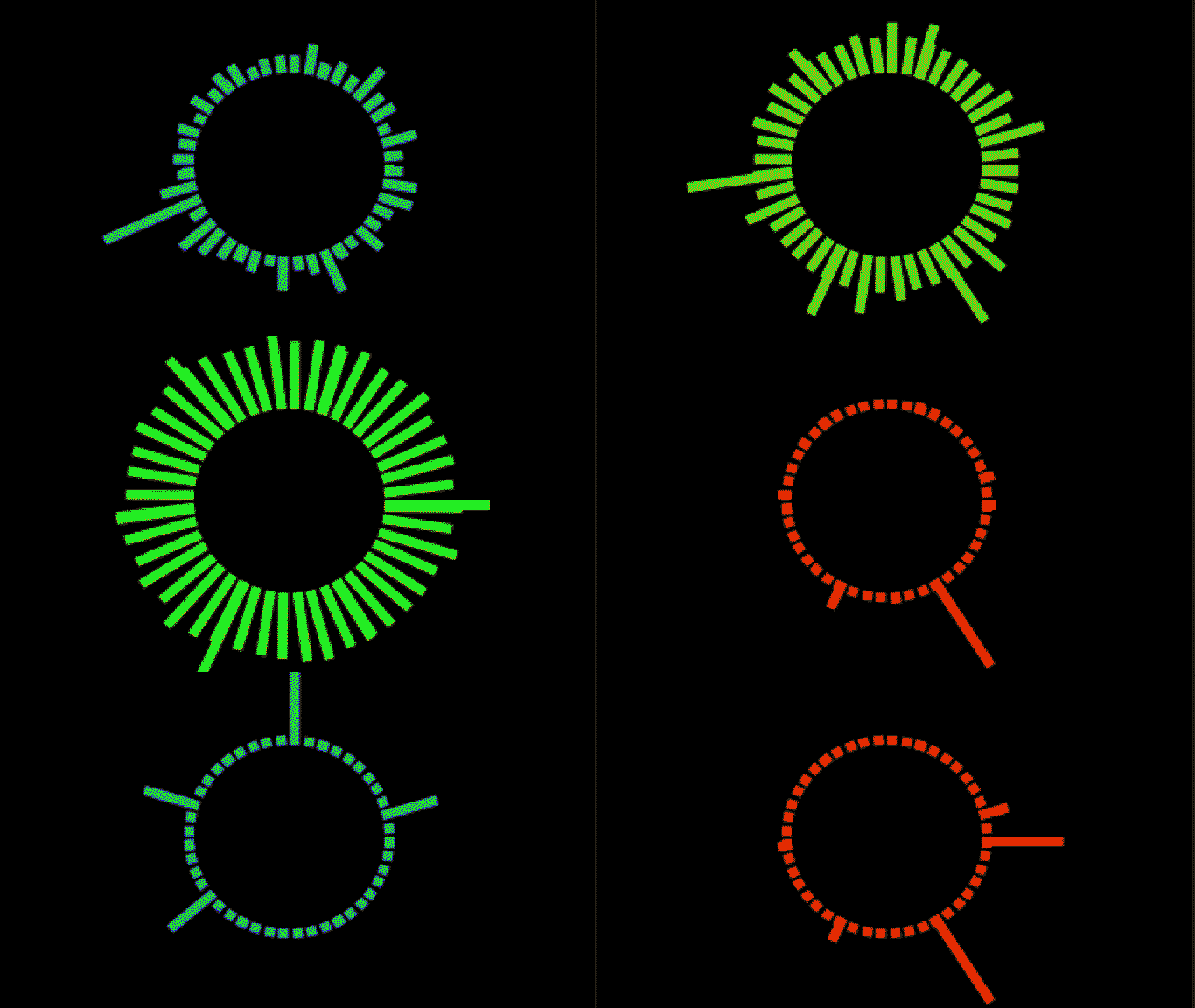
此属性只是以分贝为单位返回音轨的响度,技巧在于它产生 -100 到 0 之间的数字。-100 非常安静,0 非常响亮。我们必须对此数据进行一些编辑以按照我想要的方式使用它,我将在更新函数中绘制此形状。在这里,音轨电平将编辑内部黑色圆圈的亮度。
function update() {
        var frequency = new Int8Array(engine.audio.freq)        reducedFreq = frequency.filter((element, index) => {            return index % 4 === 0;        })
        if(effects.length < 1){            effects.push(new soundBars(160, 100))        }
        DrawRect(0, 0, 320, 200, "black")
        effects.forEach((ele, i) => {          ele.draw();          if (ele.lifetime <= 0) {            effects.splice(i, 1);          }        });
        var hue = engine.audio.density * 360        DrawCircle(160, 100, 50, `hsl(${hue}, 100%, ${100 + engine.audio.level * 10}%)`)
      window.requestAnimationFrame(update);    }